Card Tunnel: fly through a tunnel lined with your work
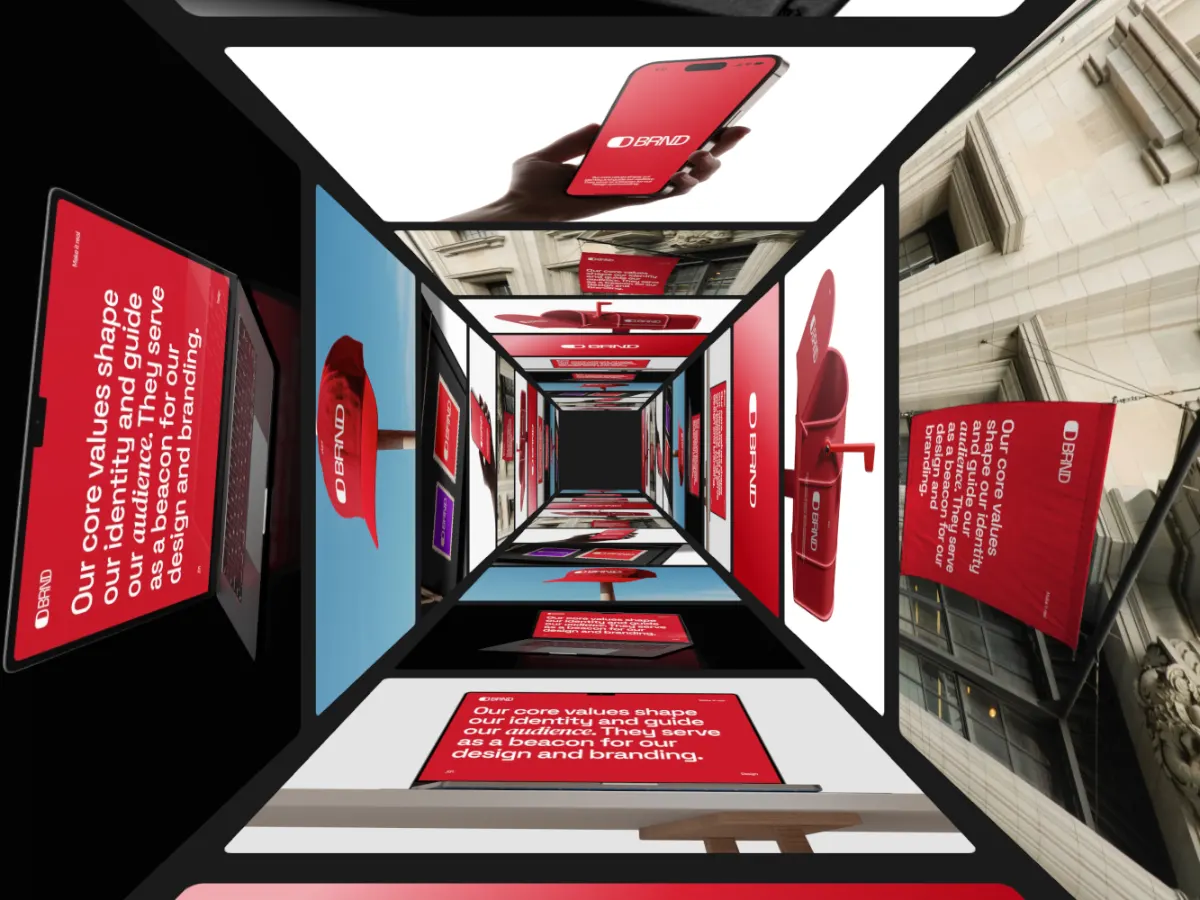
The camera moves forward through a square tunnel whose walls, floor and ceiling are your images.
Opens in the studio with sample work. Free at 720p.
How Card Tunnel moves
Card Tunnel puts the camera inside a square corridor whose floor, ceiling and both walls are lined with your images, and moves forward through it without end. Each wall runs through all eight pictures, so the four sides never match at the same depth. Cards far down the tunnel fade into the dark, and the direction can be reversed. The most dramatic opener in the set, for a reel intro or a launch teaser at 16:9.
In the studio you can tune its 6 settings along with the background, shadow and loop length, and your images never leave your device.
Card Tunnel settings
Every setting below is in the studio panel for Card Tunnel. Each one changes the loop live, so you can try values while it plays.
| Setting | Range | Starts at |
|---|---|---|
| Corner radius | 0% to 12% | 1.5% |
| Tunnel size | 60% to 120% | 90% |
| Card length | 30% to 90% | 55% |
| Gap | 2% to 20% | 10% |
| Depth fade | 0% to 100% | 45% |
| Direction | Forward, Backward | Forward |
Make a Card Tunnel video
- Step 1
Open the template
"Use this template" opens Card Tunnel in the studio at 16:9, already playing with sample work.
- Step 2
Add your work
It starts with 8 spots for images or short videos. Empty spots repeat your images, so a few are enough.
- Step 3
Tune the motion
Change the 6 settings above, the loop length (20 seconds to start), background and shadow.
- Step 4
Export the loop
Download MP4 or WebM. 720p is free with a free account and no watermark; 1080p, 2K and 4K come with Pro.
Where Card Tunnel works well
More 3D & Perspective templates

Other kinds of motion
- 3D & Perspective 13
- Multiscene 8
- Isometric 4
- Orbit 9
- Carousel & Flow 11
- Grid 9
- Spotlight & Focus 4
- Reveal & Wipe 4
- Stack & Scatter 8