Compare · Checked October 2026

A Shots.so alternative for animated, multi-image videos

The short answer

Shots is a mockup tool. You put one design into a device or a frame, style the background, and export a sharp image. It has added animation presets, zooms and video export on top of that.

Shotreel is a motion tool. You drop in many screenshots and a template moves them together in a video that loops with no seam, with no device frames at all. For a crisp still of one screen, Shots is the better tool. For a moving reel of ten designs, use Shotreel.

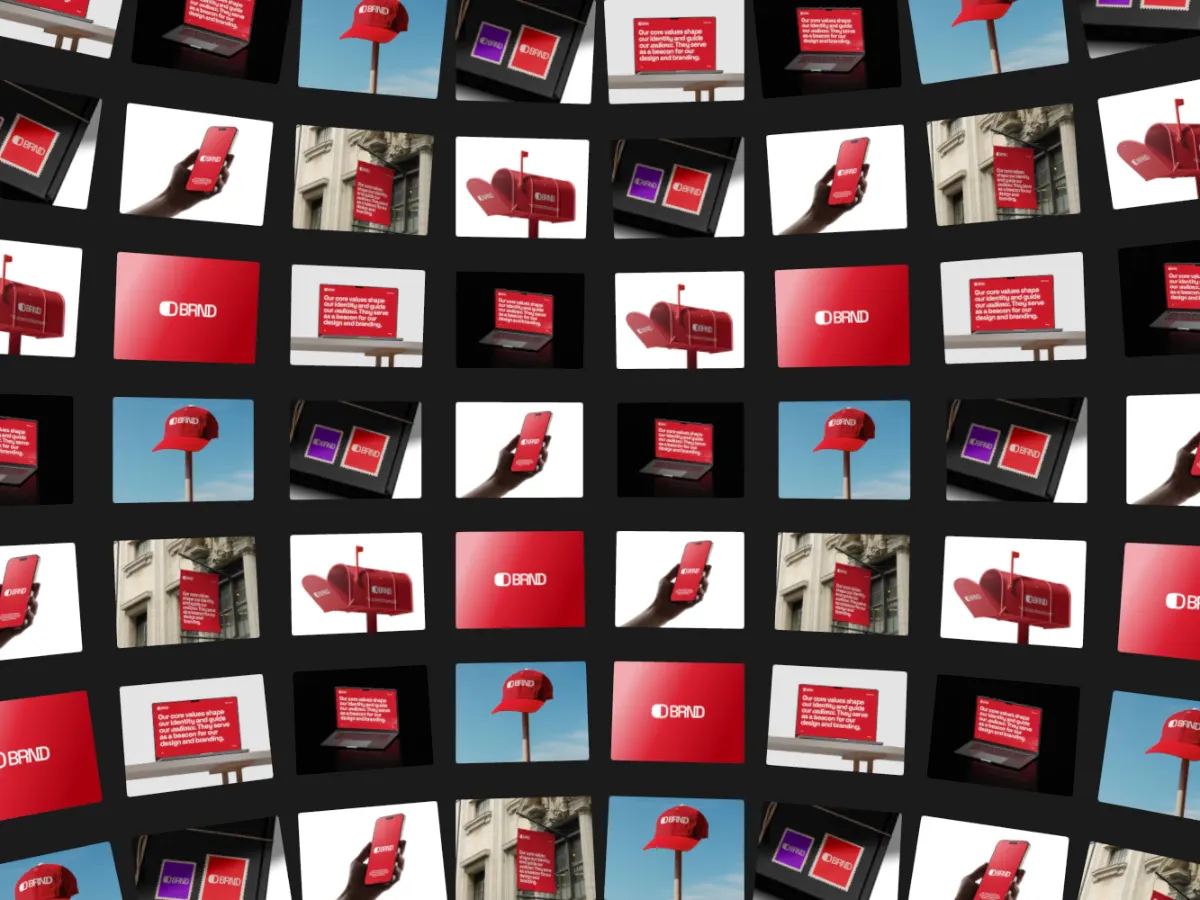
Sphere Wall template: a curved wall of design cards drifting in a loop

Shots.so and Shotreel, side by side

Prices in US dollars. Shots.so facts are from its own site, checked October 2026.

Shots.soShotreel
Price
Free. Plus is $10 a month or $95 a year; Pro is $15 a month or $125 a year (US prices on its plan screen).Free. Pro is $4 a month or $36 a year.
Platform
Web app at shots.so.Web app in a desktop browser (Chrome or Edge). Nothing to install.
What you make
Mockup images of a design, with animation presets, zoom and video added on top.Looping videos that move many images or clips at once.
Templates
A library of templates and layout presets. It doesn't publish a count.70 motion templates in 9 categories, all free.
Devices and mockups
Yes: iPhone, Android phones, iPads, desktop devices and more.None. The cards are your work, shown full size.
Export
Images up to 4K on Plus and 6K on Pro. Video as MP4, WebM with transparency, or GIF; Pro adds unlimited 2K video at 60 fps.MP4 or WebM, 30 or 60 fps, in 16:9, 4:3, 1:1, 4:5, 3:4 or 9:16. 720p free; 1080p, 2K and 4K on Pro.
Free tier
Free mockup images. 4K images, transparent video and 2K 60 fps video are paid.Every template, unlimited edits, 2 projects and 720p export with a free account.
Privacy and upload
Exports are rendered on its servers, and you sign in to export video.Rendered in your browser. Images and videos never leave your device; projects are saved in the browser.

Which one to pick

Choose Shots.so if

  • You want one screen inside an iPhone, iPad or desktop frame.
  • You need a still image, up to 6K, for a post, a store graphic or a landing page.
  • You want styled backgrounds, shadows and effects like noise or glitch without building them yourself.
  • You need a transparent video to place inside another edit.

Choose Shotreel if

  • You want to show many screens at once, moving: a portfolio reel, a launch loop, an animated Dribbble shot.
  • The video has to loop with no jump, for a site hero or a post that plays on repeat.
  • You'd rather show the work full size than inside a device.
  • You don't want your files to leave your machine.
  • You want HD export for $4 a month.

A mockup and a motion loop do different jobs

A mockup answers "what does this screen look like on a real device?". It is one design, framed and lit, and it works best as a still. Shots is built around that: devices, backgrounds, shadows and image export up to 6K.

A motion loop answers "what does the whole body of work feel like?". It shows a set of designs moving together: a carousel, an orbit, a wall of cards. Shotreel is built around that: 70 templates that each end exactly where they start, so the file plays forever without a visible cut.

Use both

They don't exclude each other. Export a few device shots from Shots as 4:3 images, then drop them into Shotreel as cards. You get the device framing where it matters and a loop that carries the whole set.

Sources, checked October 2026

Turn your screenshots into a loop

Every template and 720p export are free. Nothing is uploaded.