Compare · Checked October 2026

A Rotato alternative that runs in the browser, without device mockups

The short answer

Rotato is a 3D mockup studio. Your screens go onto 30+ modeled devices, with a camera, lighting and a timeline, rendered on your Mac at up to 8K. You pay once.

Shotreel skips the devices. Your screenshots are the cards, and 70 templates move them in a loop you export from a browser tab. Pick Rotato for realistic devices and camera work. Pick Shotreel for quick, device-free reels with no install, from free to $4 a month.

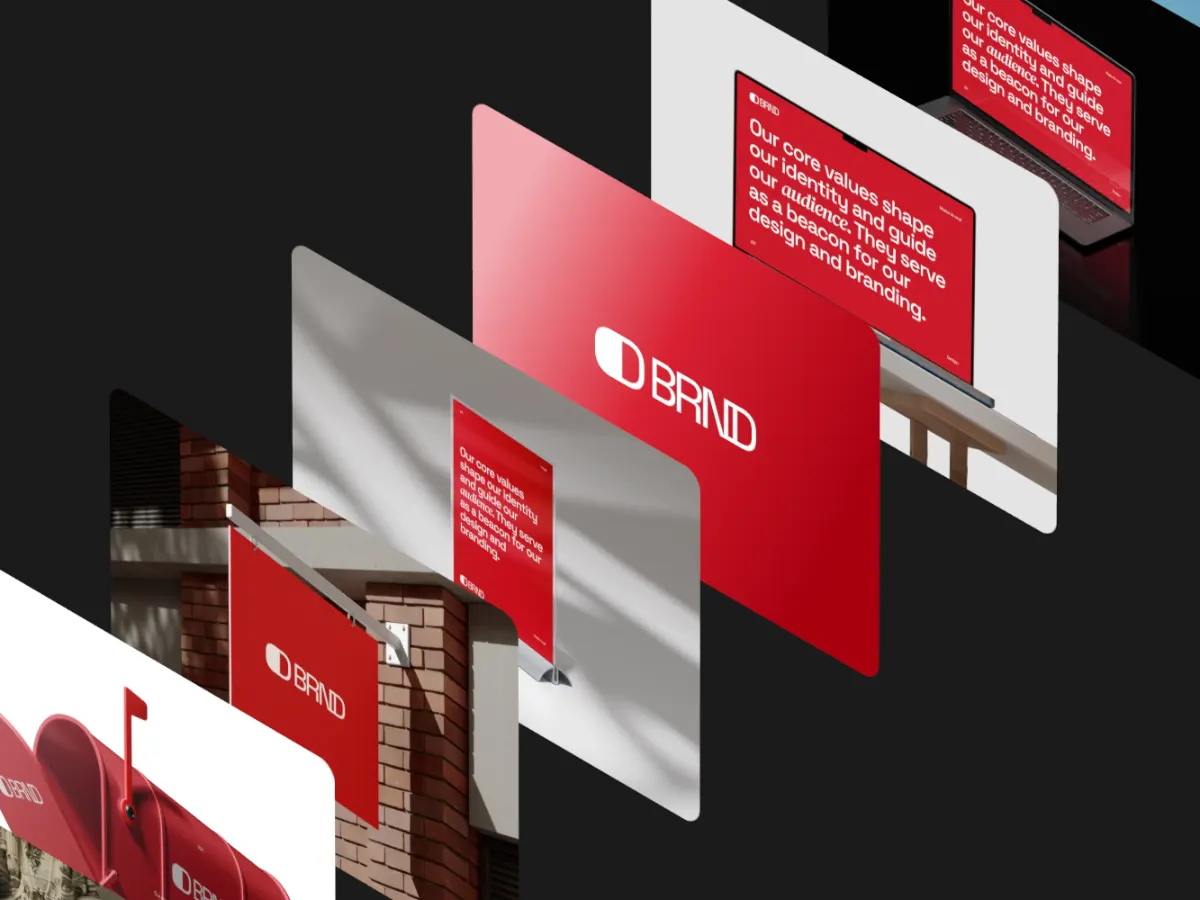
Iso Cascade template: design cards stepping through an isometric cascade

Rotato and Shotreel, side by side

Prices in US dollars. Rotato facts are from its own site, checked October 2026.

RotatoShotreel
Price
Mac app, one-time: $79 (phone mockups, no templates), $89 (all devices, 18 premium templates) or $199 (all devices, 100 premium templates). The web editor is free during its public beta.Free. Pro is $4 a month or $36 a year.
Platform
Mac app for macOS 11 or newer. A web editor is in public beta.Web app in a desktop browser (Chrome or Edge). Nothing to install.
Templates
Video templates in an in-app gallery (50+ on the top plan) plus premium template packs, depending on the plan.70 motion templates in 9 categories, all free.
Devices and mockups
30+ 3D devices: phones, laptops, desktops and more, plus multi-device scenes.None. The cards are your work, shown full size.
Export
Up to 8K. H.264, HEVC, ProRes 4444, PNG frames and transparent video.MP4 or WebM, 30 or 60 fps, in 16:9, 4:3, 1:1, 4:5, 3:4 or 9:16. 720p free; 1080p, 2K and 4K on Pro.
Free tier
Unlimited free trial of the Mac app, no credit card. The web beta is free.Every template, unlimited edits, 2 projects and 720p export with a free account.
Privacy and upload
The Mac app runs on your machine and works offline.Rendered in your browser. Images and videos never leave your device; projects are saved in the browser.
Updates
Paid plans include 12 months of new devices and features; the app keeps working after that.One web app, always the current version.

Which one to pick

Choose Rotato if

  • You want your design on a realistic iPhone, MacBook or desktop, with depth and reflections.
  • You need camera moves, lighting and several devices in one scene.
  • You need 8K, ProRes 4444 or a transparent video for a professional edit.
  • You prefer to pay once and keep the app.

Choose Shotreel if

  • You're not on a Mac, or you don't want to install anything.
  • A device frame isn't the point: brand work, posters, websites, illustration.
  • You want many images in one loop rather than one screen on one device.
  • You want to start free and pay $4 a month only when you need HD.

Why Shotreel has no devices

A device frame is useful when the question is how an app looks in someone's hand. For most showcase work it takes space from the work itself: a poster, a brand system or a website reads better full size than on a phone screen a third of the frame wide.

So Shotreel's cards are the images you drop in, shown at full size, with 3D and isometric templates for depth. If you do want devices, Rotato and its 30+ models are the stronger choice, and you can still bring Rotato stills into Shotreel as cards.

Cost over a year

Rotato's Mac plans are one payment of $79 to $199. Shotreel is free at 720p, and Pro is $36 a year. If you make device videos every week and want to own the app, the one-time price pays off. If you need a loop now and then, Shotreel costs less and starts at zero.

Sources, checked October 2026

Make a loop without a single device

Open the studio in your browser. Every template and 720p export are free.